Tuesday, November 10, 2026 · UX & UI Design
Adobe Lets Outside AI Agents Into Photoshop and Premiere Through MCP
Noted by Katy Cowan · 718 reads
Adobe is opening Photoshop, Illustrator, Premiere and After Effects to third-party AI agents via MCP, with layers and timelines staying fully editable.
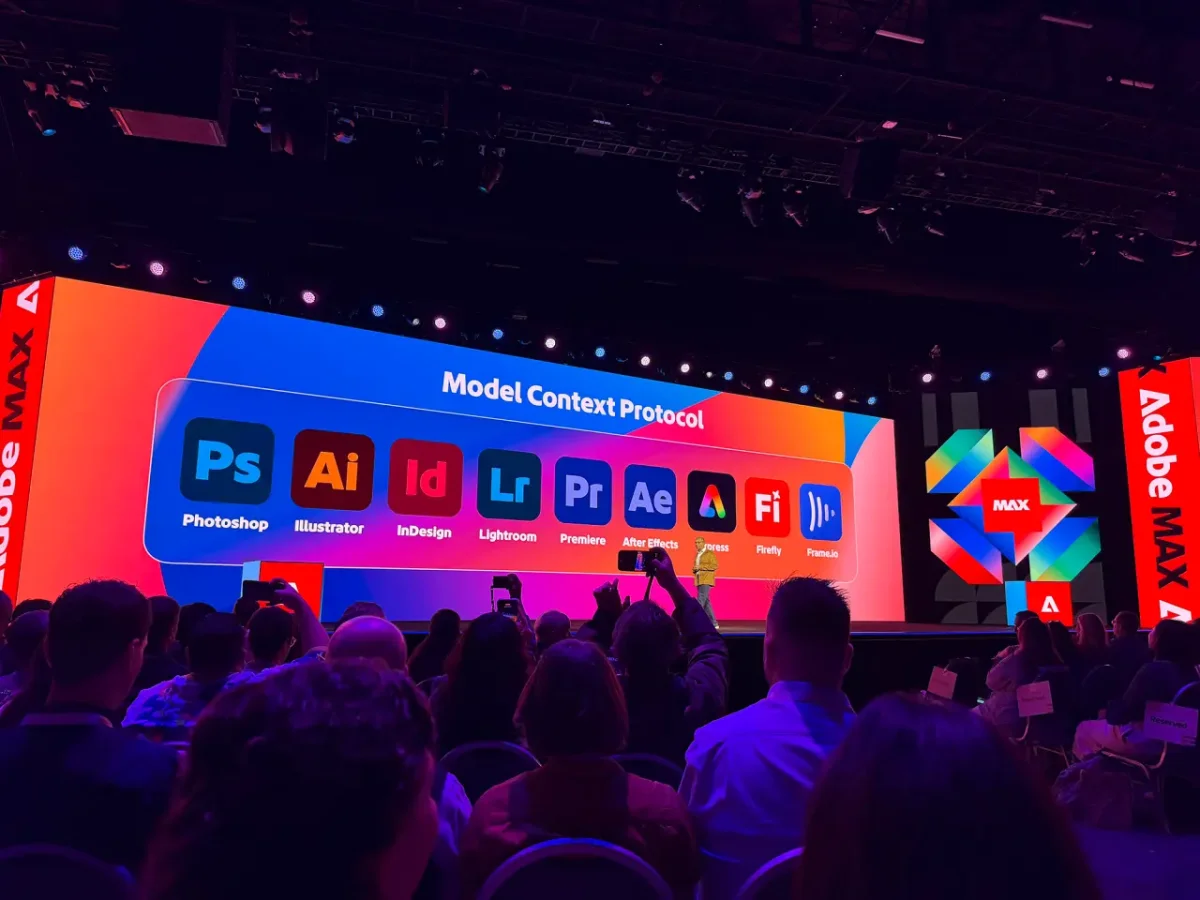
Adobe is opening Creative Cloud to outside AI agents, and the detail that matters most is that your files stay yours. Photoshop, Illustrator, Premiere and After Effects will soon work with the agent you choose, while layers, vectors, bins and sequences remain editable at every step. For a company that spent close to four decades making its tools so complete that you rarely needed anything else, this is a notable shift.
How the opening works
The centrepiece is native support for MCP, the Model Context Protocol. It's an open standard that lets an AI agent connect to software and use that software's tools. Adobe is previewing it in four apps only: Photoshop, Illustrator, Premiere and After Effects. Once you link an agent to your desktop app, it can work on native project files while you stay in control.
"Layers, vectors, bins, sequences, compositions all stay editable, so you can step in at any moment to refine the work," says Deepa Subramaniam, who leads product marketing for Creative Cloud at Adobe. That's the part I'd focus on. An agent that edits a live document is useful. An agent that flattens your work into an opaque result is a problem.
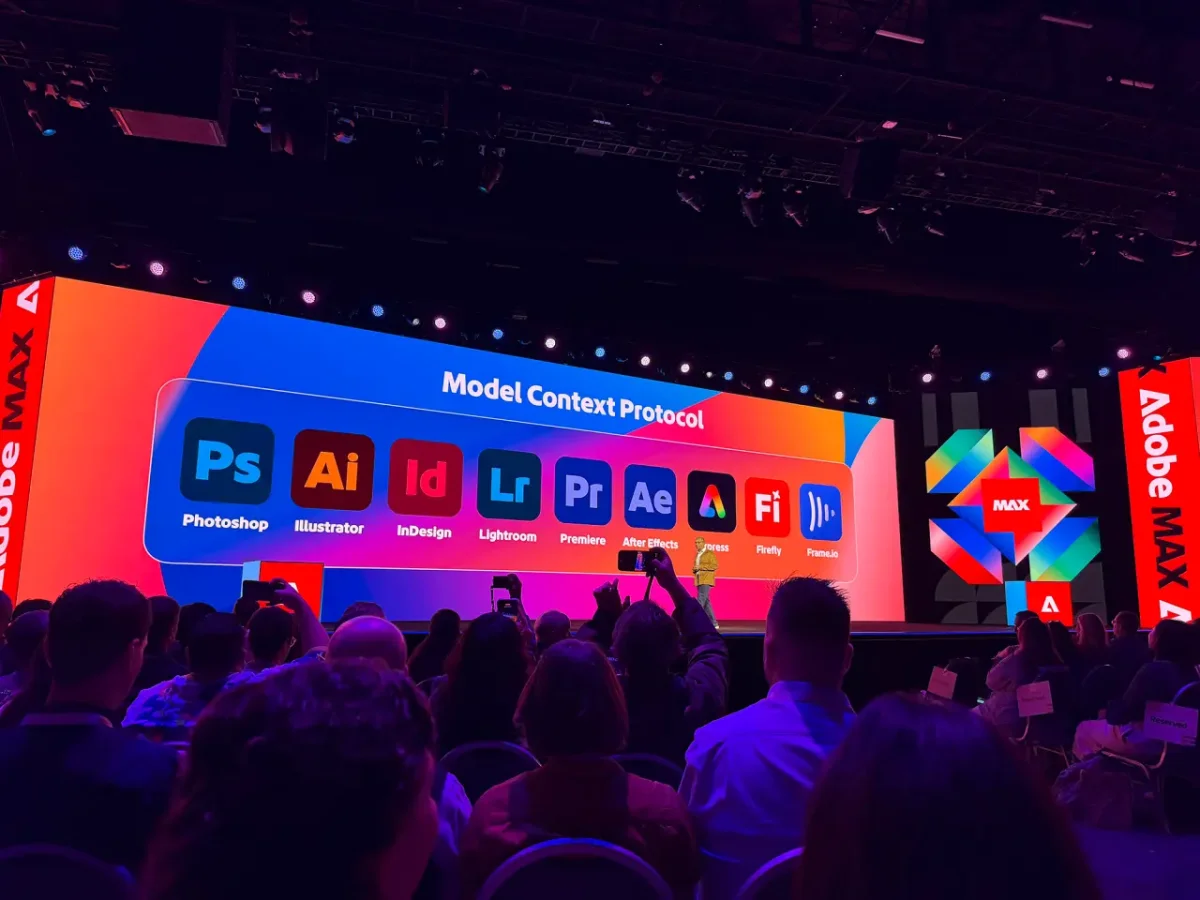
Adobe isn't new to AI here. It already offers Adobe Creative Agent, built into Firefly and the Creative Cloud apps, and the Adobe Connector, which brings its tools into Claude, ChatGPT and Gemini. MCP is the bigger move because it lets the agents you already use do real work inside the apps themselves.
Anil Chakravarthy, Adobe's president and incoming CEO, put the strategy plainly: "Adobe will meet you where you are." Designers who want little to do with AI get continued investment in precision tools. Everyone else gets agents that handle the repetitive production work. The MCP integrations reach private beta in early 2027, so this is a roadmap item for now rather than something to install today.
What's changing in Photoshop
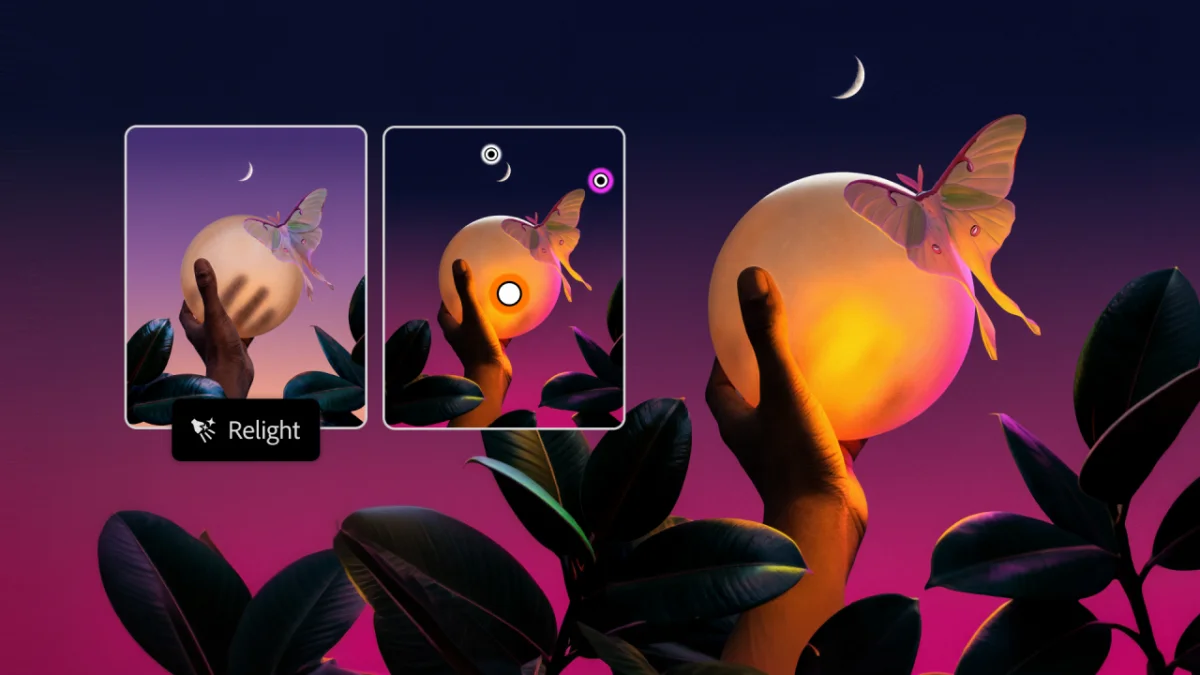
Three Photoshop beta features are moving to general availability this week. The first is Relight, which lets you place up to three light sources anywhere in 3D space after the shoot. The preview updates in near real time as you drag the lights, and you don't need to write a prompt to get there.

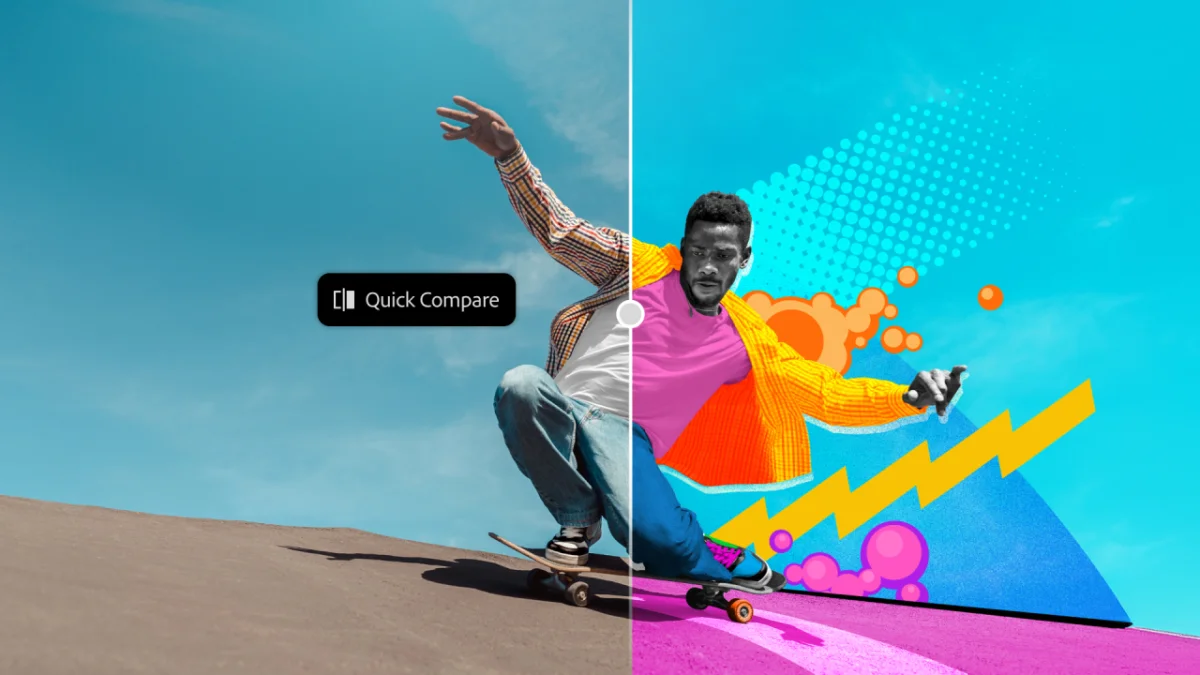
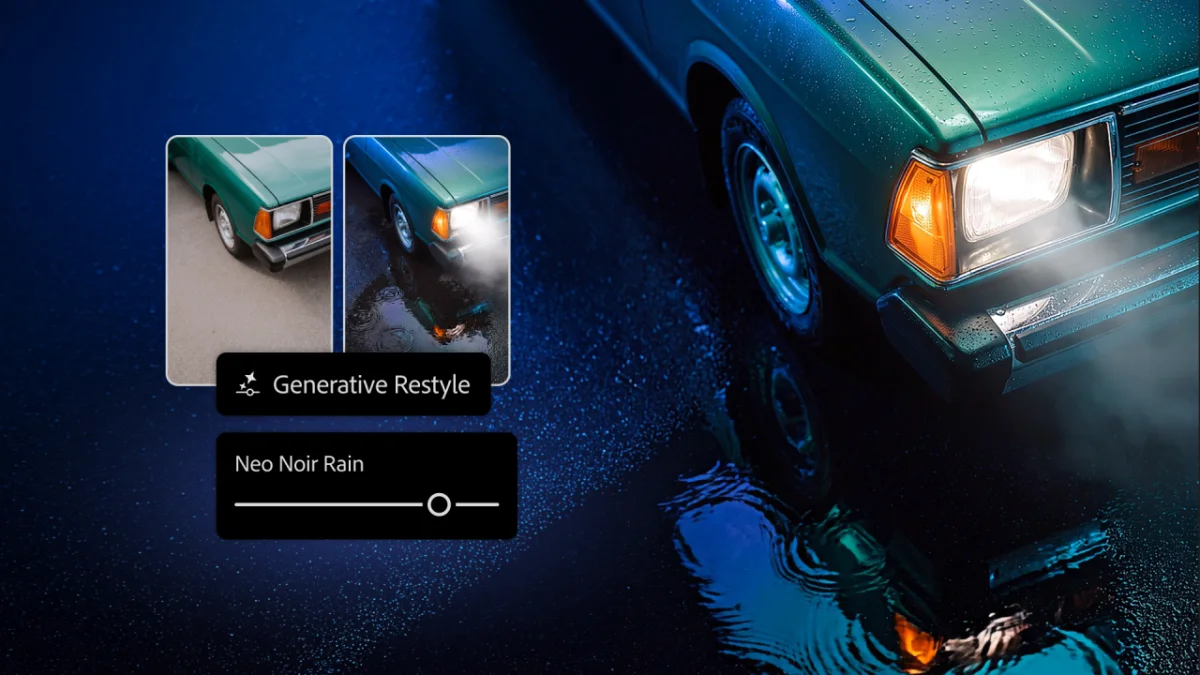
Generative Restyle applies a prompted look as its own layer, which means it stays non-destructive. A slider or a typed percentage controls its strength. The Remove tool now recognises related elements, so deleting a bin also removes its shadow. Quick Compare lets you check before and after without hiding your layers, which is a small change that will save a lot of toggling.
The feature I'd bookmark is Convert to Text Layers, now in beta. Feed it a flat JPEG and Photoshop analyses the typography, matches it against the 35,000 fonts in Adobe Fonts, and rebuilds it as live, editable vector text. Joel Baer, director of product management for Photoshop, notes that generated text is typically "frozen" in most workflows. "What I want is vector text." For anyone who has been asked to fix a typo in a flattened client mockup, that's the request answered.
Lightroom gains Glow for soft, cinematic light and one-tap Blemish Removal, and Open Eyes (beta) corrects blinks. Following Adobe's purchase of Topaz Labs, there are also new Topaz enhancement models for upscaling, sharpening, noise reduction and HDR, which is a practical addition for photographers who work with difficult source files.
Premiere and the rest of the video side
Premiere 27.0 is out today. Color Mode, the dedicated colour-grading workspace, is now generally available. Its style presets apply at clip or sequence level and can be customised, which sets them apart from LUTs, where you're largely working with a fixed result.
The AI Assistant, in beta, takes on project organisation, string-outs and multi-cam syncing. Editors can write reusable skills, a bit like the custom instructions people already build in Claude, and upload scripts or outlines to give the assistant context. The Generative Media Tool creates images, music and soundscapes alongside video and sound effects, right in the timeline. Partner models include Google's Veo and Kling.
Enhanced Audio, the next generation of Enhanced Speech, separates dialogue, ambience, music and effects so each can be adjusted, muted or moved to its own track. Generative Remove, now in beta, takes unwanted objects out of actual footage. After Effects gets an AI Assistant in beta that organises projects, generates images and video, and builds or debugs expressions. Illustrator receives refreshed Content Libraries and a reworked Blend Tool with live preview. InDesign adds co-editing in beta, so more than one designer can work on the same layout at once.
Firefly as a studio
Adobe now calls Firefly its "full AI creative studio," bringing images, video, audio and design into one place. Mike Polner, who leads product marketing for creators, framed the goal as helping people "work faster while keeping you firmly in the director's chair."
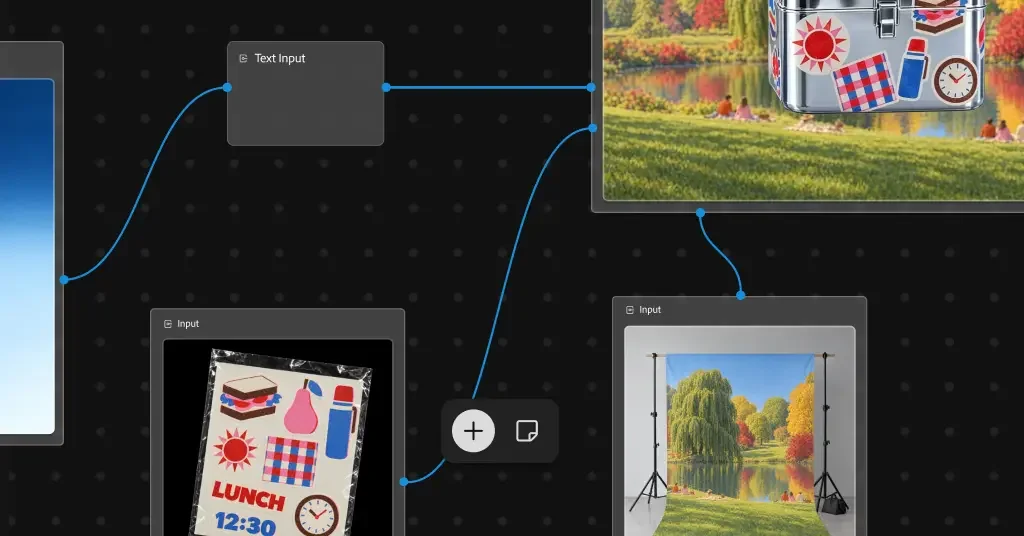
Firefly Design (beta) is included with Creative Cloud and combines vector, image editing, animation and 3D on one canvas. Firefly Graph, in public beta, helps you build repeatable workflows. Firefly Builder, in private beta, turns prompts into interactive, on-brand prototypes for sites or apps. The Creative Agent now lives in Firefly too, and Adobe is previewing "always-on" agents that keep work moving when you've stepped away from your desk.
Premiere Mobile gets the Creative Agent in private beta, along with licensed music from Universal Music Group and Warner Music Group. Adobe's summary of the approach is that "people set the direction, and AI agents handle the repeatable work." That line is the thread running through nearly every announcement this week.
Disney and Microsoft
Two larger deals came with the keynote. Disney will use Adobe's AI tools to help its teams develop ideas faster, from early concepts through to designing new theme park attractions and cruise ships. On the hardware side, Photoshop, Premiere and After Effects will run faster on the newest Windows laptops, including Microsoft's Surface Laptop Ultra, and Adobe Express's quick editing tools will be available from the Photos app on Windows.
A new era, and a mixed room
This is Adobe's last MAX before Anil Chakravarthy becomes CEO on 1 December, with Shantanu Narayen moving to executive chair after almost two decades in charge. A leadership change this size tends to reset how a company talks about its direction, and this keynote was clearly built to signal continuity with a new emphasis on agents.
The reaction in the room was harder to read. The demos drew strong applause, but the response thinned noticeably when the Firefly material arrived. That could mean a room of working creatives who are wary of agents, or simply a long keynote. My read is that it was probably both. The more useful question is whether MCP delivers on its promise: agents that act inside live, editable files, with a clear path back to manual control. If Adobe can show that in the coming betas, the skeptics will have a concrete reason to change their minds.