Monday, October 5, 2026 · Graphic Design
Packaging Prototypes Bring Renders Into the Real World
Noted by Melissa Simmerman · 758 reads
Renders help teams explore packaging concepts; physical prototypes reveal how color, structure and shelf presence work in hand.
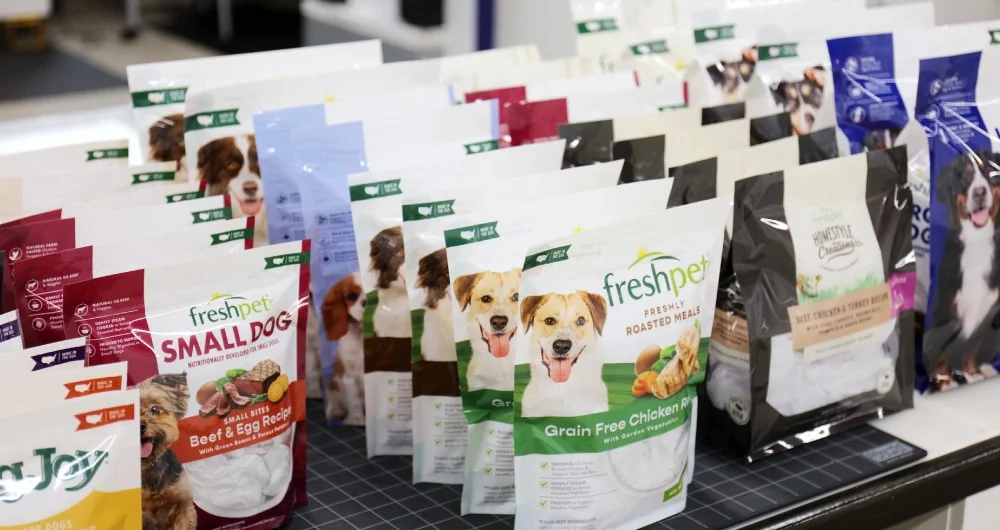
Packaging design doesn’t reach a meaningful finish line when a concept wins approval on screen. It reaches it when the intended experience holds up as a physical object: in someone’s hands, among other products, and at the distance shoppers encounter it. That’s the case Kaleidoscope makes in its October 6, 2026 article on packaging validation.
The practical choice isn’t between digital renders and prototypes. They answer different questions at different stages. A render helps a team explore directions, compare concepts, iterate and prepare e-commerce imagery. A prototype lets people judge the package as an object, without having to imagine how a flat or digital representation might look and feel in real life.
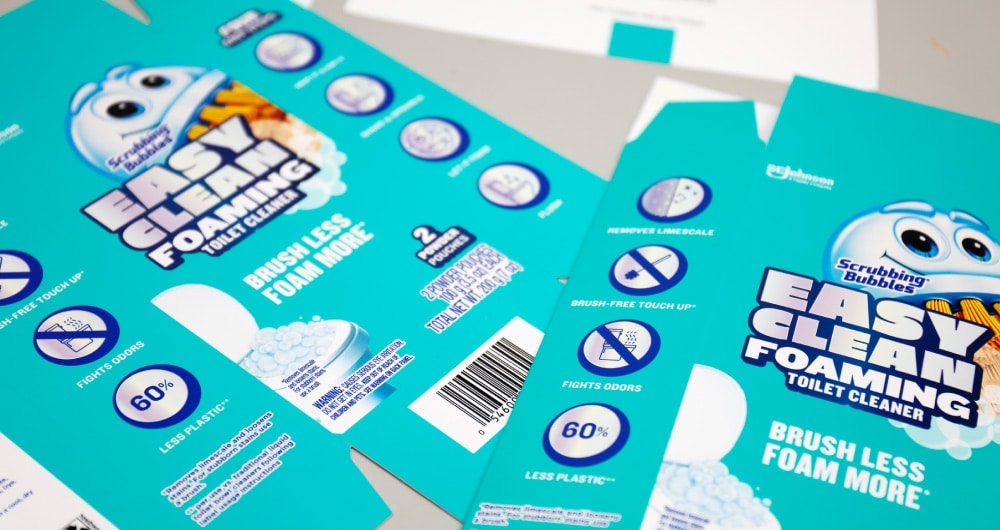
That distinction matters most when an idea is unfamiliar or depends on a particular material effect, shape or shelf presence. A polished image can make a concept easy to discuss, but it still asks each viewer to mentally fill in what the image can’t show. A physical sample puts the same thing in front of everyone. Kaleidoscope’s article illustrates its discussion with packaging prototypes and mock-ups credited to the studio, including examples for Freshpet and SC Johnson.
Three questions a physical sample can answer
Will the concept persuade? Showing a picture and handing over a package create different kinds of encounters. Executives, retail buyers, consumers and sales teams can respond directly to a prototype instead of evaluating only the image of an idea. That shift can be useful for a design that relies on an unusual structure or an effect people might not infer from a render. The sample gives the audience something concrete to assess.
Can the team make a decision together? In a review built around renders, participants may imagine different materials, dimensions or finishes while looking at the same screen. A physical object narrows that gap: the group can react to one shared version of the package. That can make disagreement more specific and decisions faster. Rather than debating a hypothetical outcome, the team can identify what works, what needs adjustment and what the next prototype should test.
Does the design behave as intended? A render can’t settle every question about color, finish, structure or scale. Does the surface create the right impression? Does the package feel playful, premium, substantial or disruptive? Do multiple SKUs read as a family when placed together? And does the design still attract attention from six feet away, where a shopper is likely to first see it?
These are questions of physical perception, not merely image quality. A highly realistic render may help communicate the intended result, but it remains a representation. The actual package can reveal how its parts work together and whether the impression survives outside a close-up view on a monitor.
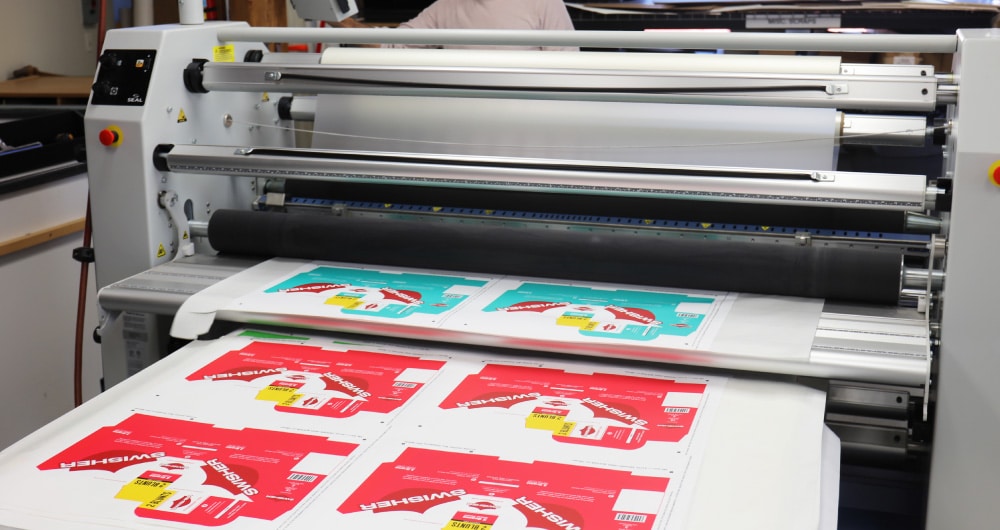
Prototype while there’s still something to learn
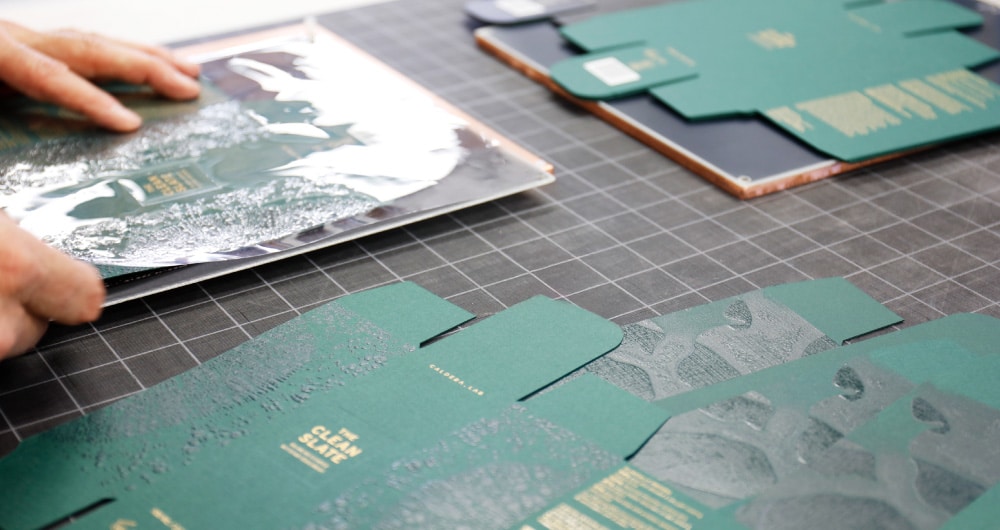
Kaleidoscope’s recommendation is to make a prototype when a meaningful question remains, rather than waiting until everyone has agreed on a concept. That timing makes the sample part of the design process: teams can use it to find out whether an idea is ready, surface problems and refine the work before commercialization.
The sequence can be simple. First, use renders to explore and compare possible directions. Next, identify the unresolved question that could change the design: perhaps the finish, the scale, the structure or how a set of products reads together. Then make a physical prototype that gives the team a way to assess that specific issue. Review the object in the conditions that matter, such as in hand or alongside the other SKUs, and use what people notice to guide the next decision.
A prototype doesn’t need to wait until a concept feels settled. If the team is still guessing about how a key feature will land, that uncertainty is a reason to test it. Finding out that a design needs work before commercialization gives the team a chance to respond while changes are still possible.
Approval is a milestone; experience is the test
Digital tools and physical sampling work best as parts of the same process. Renders support exploration and communication; prototypes test what an image can only suggest. The right balance depends on what the team needs to learn at each stage. When the question is whether a concept can earn confidence as a real package, a screen can take the project only so far.
For designers, the useful takeaway is to make validation specific: name what remains uncertain, then choose the format that can answer it. A render may be enough to compare a few visual directions. A prototype is the stronger test when color, finish, structure, feel or shelf impact could change the decision. Packaging is ready for approval when the concept works on screen; it’s ready for the real world when the intended experience has been tested in person.
Digital renderings and physical prototypes each have a role in that process. For more on how packaging design performs at shelf, see Kaleidoscope’s discussion of packaging redesign and brand equity. The studio also covers the value of packaging prototypes.