Friday, October 16, 2026 · Graphic Design
Benchmark Reports in 2026: Research, Design and Distribution
Noted by Orana Velarde · 821 reads
A practical guide to benchmark research, from choosing fair comparisons and checking data to designing, publishing and promoting useful findings.
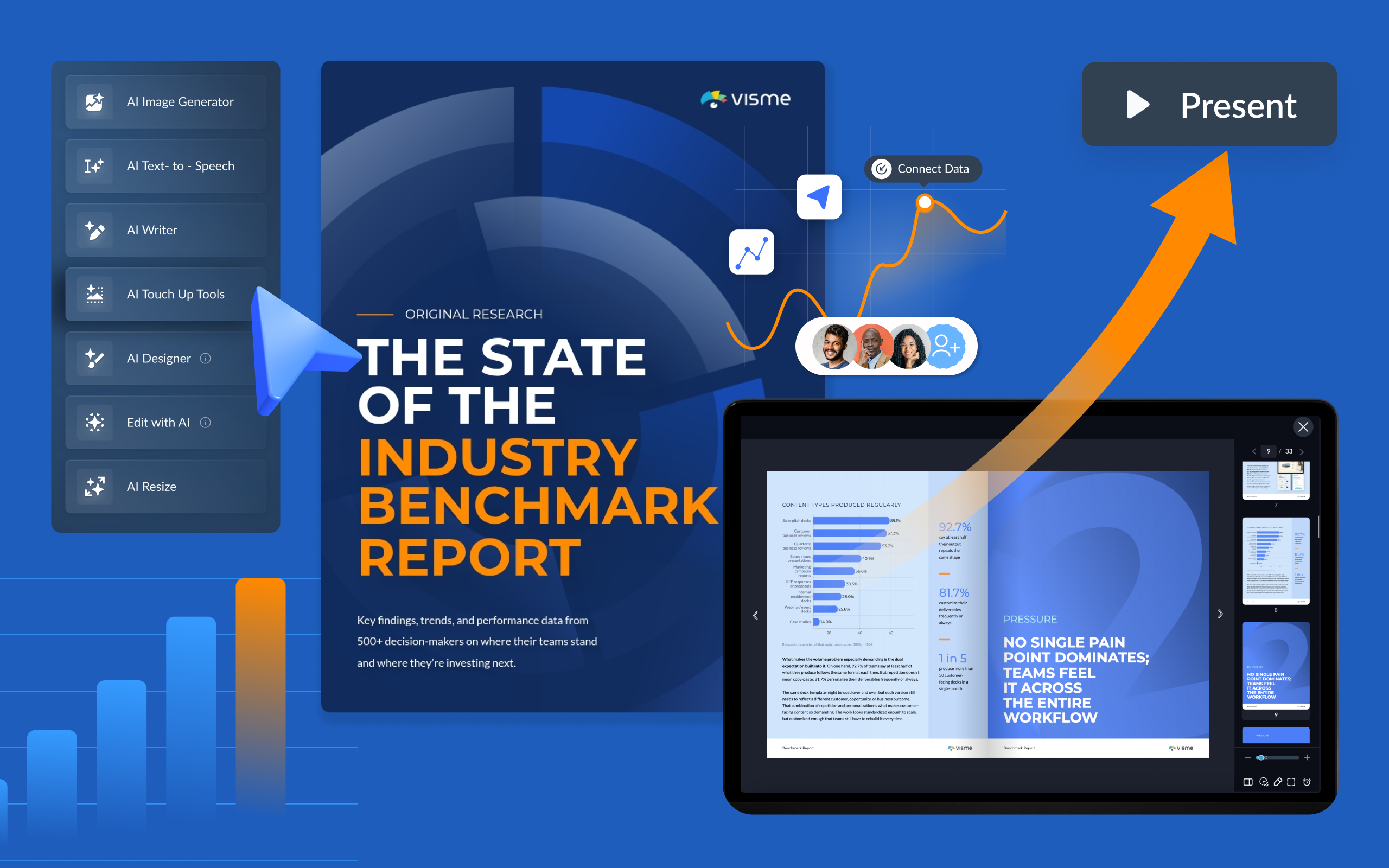
A benchmark report earns attention when it helps readers judge a number and decide what to do next. A 30-day sales cycle, for example, means little on its own. Compare it with the same team’s results last year, a relevant peer group or a clearly defined industry reference, and the number starts to tell a story.
That story needs more than charts. A useful report explains how the data was gathered, which groups are being compared, where the gaps appear and what the evidence can support. Design then makes those details easier to scan, verify and apply.
For internal teams, benchmarks can inform targets, planning and decisions about processes or tools. For B2B marketers, original research can give other publishers useful evidence to cite and help a company demonstrate expertise. Content Marketing Institute’s 2025 research found that 36% of B2B marketers had used research reports in the previous 12 months, suggesting room for more teams to publish findings of their own.
This guide covers benchmark report types, when to make one, what to include, five examples and a practical production workflow. It also draws on advice from research, content and design professionals featured in the source, including contributors from Visme.
Start with the comparison
A benchmark report compares results with a defined reference point, then explains what the difference means. The reference might be a previous period, another team, a competitor’s published figure, an industry standard or original research assembled for the report.
- Past period: Compare this quarter’s average sales cycle with the same quarter last year.
- Competitor: Compare your pricing page conversion rate with a competitor’s published figure.
- Industry reference: Set your ad click-through rate beside an average from a published study.
- Another team or region: Compare win rates between EMEA and North America sales teams.
- Original research: Collect new data on a defined topic and publish it as a reference point. Visme’s State of B2B Sales Content 2026 is one example.
The choice of comparison shapes the report’s value. A metric can be calculated correctly and still lead to a poor conclusion if the comparison group differs in size, market, time frame or measurement method. State why the reference is relevant before asking readers to interpret the gap.
Internal and external reports measure performance or practice
An internal benchmark compares teams, regions or time periods within one organization. An external report compares an organization with peers, competitors or published research. Either can focus on performance, meaning the measurable results, or practice, meaning the processes and tools behind those results.
| Focus | What it compares | Useful for | Possible data sources |
|---|---|---|---|
| Performance | KPIs, conversion rates, costs or response times | Finding where results are ahead or behind | Analytics platforms, CRM systems and published benchmarks |
| Practice | People, processes and tools used to do the work | Exploring why a performance gap may exist and what could change | Surveys, interviews and process reviews |
An internal performance comparison might examine win rates across sales regions, while a practice review could look at how each region handles content approvals. An external report might compare email click rates by industry or survey teams about the analytics tools they use.
Benchmarking analysis and benchmark reporting are related stages. Analysis is the research work: collecting data, selecting comparison points, calculating differences and looking for patterns. The report packages the findings so people can understand and use them. Analysts, researchers and operations teams often prepare the analysis; content, marketing and design teams shape the published report. The working output may include datasets, calculations and notes. The report may take the form of a PDF, web page, presentation, interactive publication or infographic.
Readers need enough detail to assess the research, but they shouldn’t have to inspect every row of the source dataset to find the point. Bring forward the comparisons that matter, define the terms and explain what the evidence says.
Decide whether a report is warranted
A benchmark report takes time and coordination. The work makes sense when there’s a specific question, a suitable source of data and an audience able to act on the results. Benchmarks describe what happened; they don’t explain everything that caused it.
“The first critical step is to see benchmarking as only a part of the performance measurement picture, not the complete picture.” — Bernard Marr, author and futurist at Bernard Marr & Co
Use an internal report when planning a quarter or year, evaluating a product launch or market entry, measuring the effect of a major process or tool change, or giving leadership context for results. Comparing with earlier performance can help teams set more grounded targets. Repeating the comparison after a change can show whether results moved.
An external report may be worthwhile when your organization has original survey, product or customer data that others can learn from; when available industry figures are dated or repeatedly drawn from the same studies; or when a recurring study can track how a topic changes. Teams may also use research to attract prospective customers or give other publishers findings to reference.
Victoria Taylor, Organic Growth Manager at Visme, describes original research as useful across several content efforts: “Original research is the highest-leverage content we produce because it works four ways at once. No competitor can claim our numbers, so AI engines cite us for them.” She also puts the value of evidence plainly: “Opinion is faster to produce. Evidence is what people trust.”
A report needs a goal, data, analysis, writing and design. Those responsibilities can sit with one team or be shared across specialists. Outsourcing all stages can add significant cost. TLC Agency founder Bani Kaur’s published estimate breaks an outsourced project down this way:
| Stage | Estimated cost |
|---|---|
| Strategy and survey design | $3,000–$6,000 |
| Survey response collection | $5,000–$20,000 |
| Data analysis and insights | $3,000–$6,000 |
| Report copywriting | $3,000–$6,000 |
| Report design | $3,000–$10,000 |
| Total | $17,000–$48,000 |
Kaur suggests reducing the cost of response collection by using an owned audience, such as newsletter subscribers, or working with another company to collect and distribute responses. For analysis, internal analysts can work with a strategist who knows how to frame findings for sales and marketing readers.
Some teams handle more of the production in-house with reporting and design software. Visme, for example, offers report templates, chart tools, forms and an AI writing tool. Its workflow lets a writer, analyst and designer contribute to the same project. These tools can support production, but the team still needs to verify the numbers and decide what the data means.
Give readers enough context to trust the findings
A complete benchmark report tells readers what was measured, how comparisons were made and what conclusions are justified. Most reports benefit from these ten elements:
- Executive summary. State the most important findings, gaps and recommendations in a short section for readers who need the central points quickly.
- Objectives and scope. Explain why the research was done, what it measures, who or what it covers, and what falls outside its boundaries.
- Methodology. Identify the source, sample size, research period, participants and collection method. This lets readers judge how much confidence to place in the result. The 2024 Edelman-LinkedIn B2B Thought Leadership Impact Report found that 55% of business decision-makers associate content referencing strong research and data with high-quality thought leadership.
- Reference group. Name the historical period, peer group, industry standard or other comparison. Explain why it is suitable.
- Findings and analysis. Show the measured results, define each metric and indicate the size of the difference from the reference.
- Visualizations. Choose charts that suit the comparison. Bars can compare groups; lines can show movement over time. Tables work well when readers need to locate a particular segment.
- Commentary. Explain patterns, unexpected results and possible reasons for gaps. Separate what the data demonstrates from what remains a hypothesis.
- Recommendations. Turn supported findings into practical next steps. Internal reports can assign owners and timing where useful.
- Limitations. Identify small samples, missing information, collection constraints and comparisons that require caution.
- Appendix. Provide supporting material such as survey questions, definitions, detailed tables and expanded methodology.
A short internal report may not need every element. Published research needs especially clear methodology, metric definitions and limitations. Those details help readers decide whether the comparison applies to their own situation.
Five reports with useful design decisions
1. Visme’s State of B2B Sales Content 2026
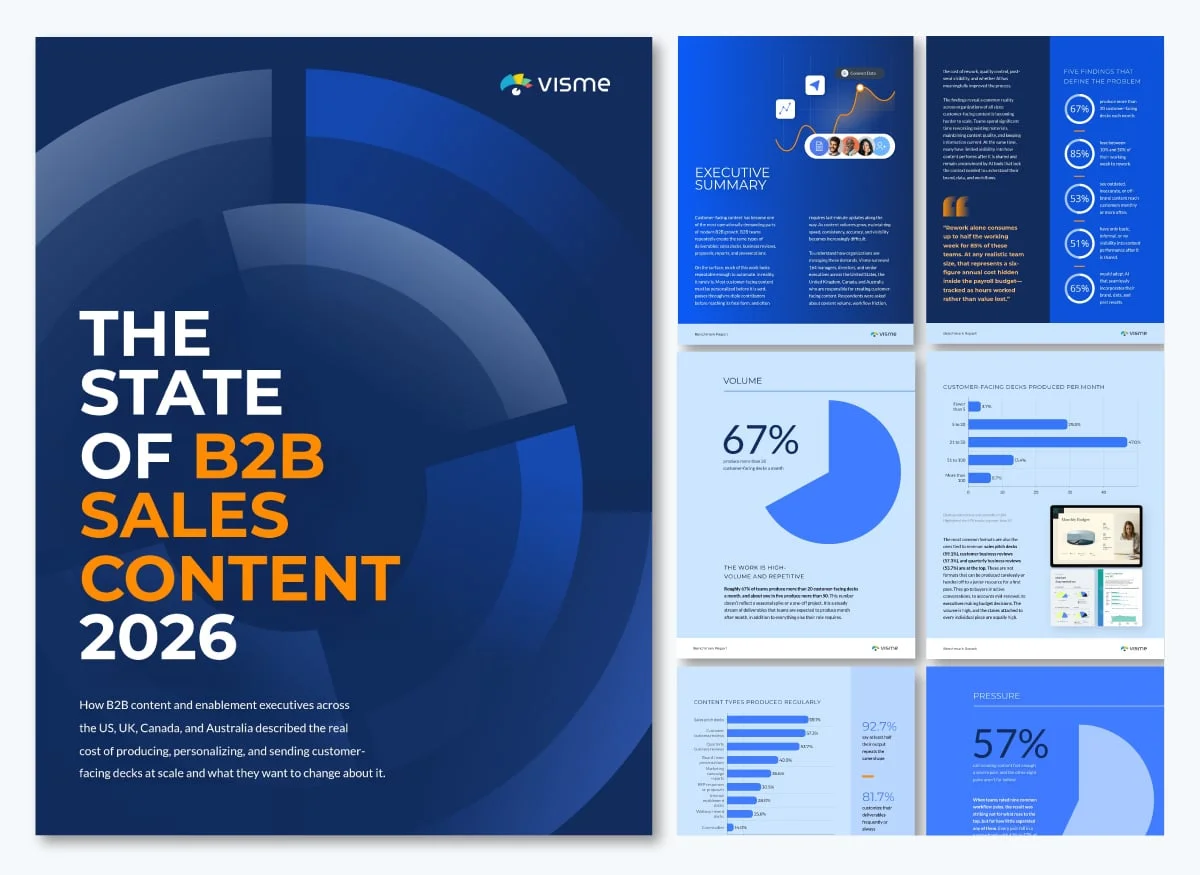
Visme surveyed 164 managers, directors and senior executives at B2B companies in the US, UK, Canada and Australia between March and May 2026. The report examines how teams create, manage and measure customer-facing content, including time spent on rework, outdated or off-brand materials reaching customers, and visibility after content is shared.
Its seven sections open with a full-page headline that states a finding. One reads, “Half of the teams have no real idea what happens after they hit send.” Readers who skim the section openers can still follow the report’s argument. Anonymous quotes, labeled by role and country, add respondent perspectives alongside the numbers.
A five-question self-assessment at the end invites readers to compare their processes with the report’s findings. The takeaway for report designers is to give readers a useful next step: a short assessment can help them apply the research to their own work.
2. Klaviyo’s Email Marketing Benchmarks
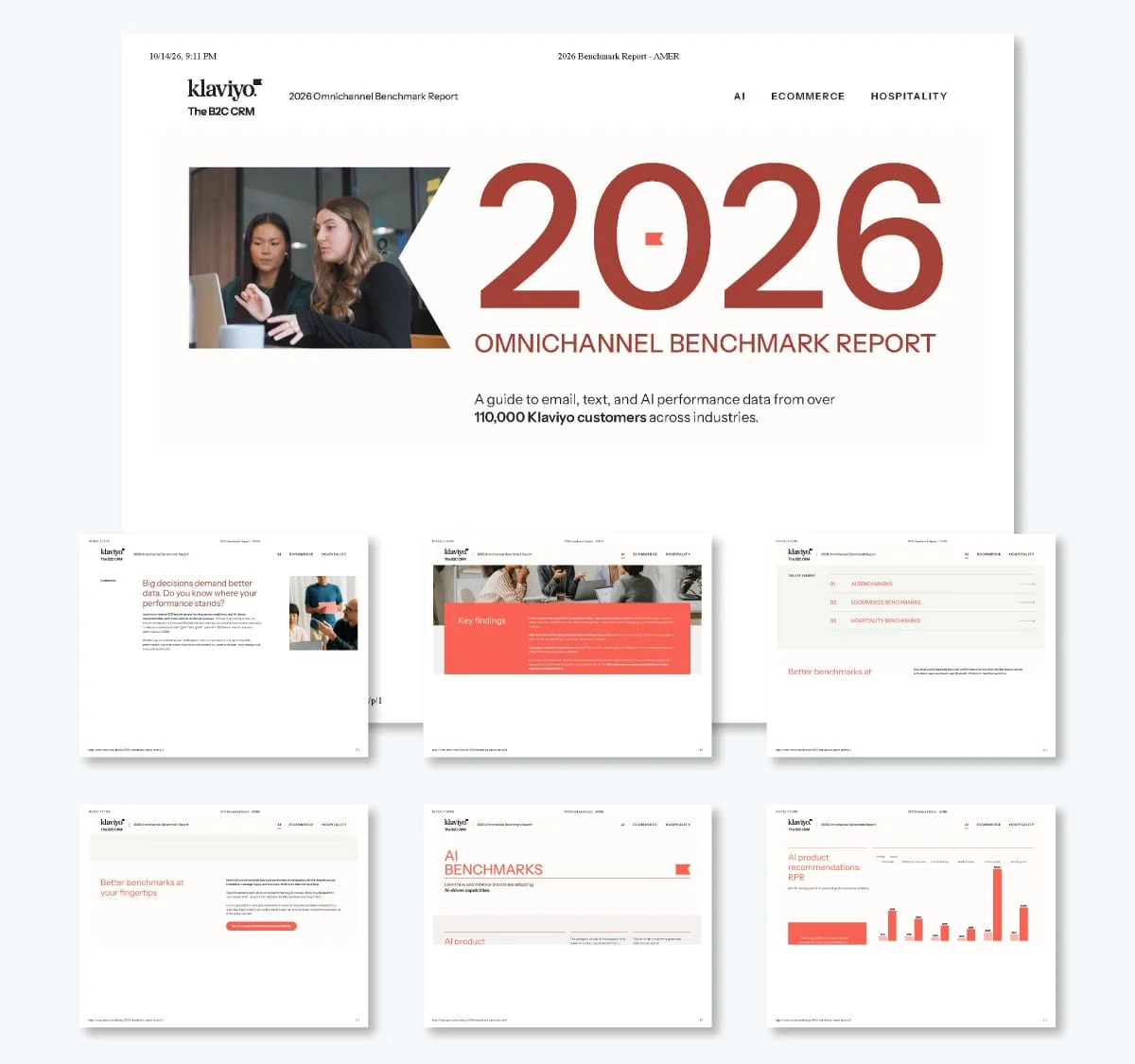
Klaviyo’s 2026 email benchmarks use data from more than 183,000 Klaviyo customers, mostly ecommerce brands. The page answers a direct question for email marketers: are these results good? Its central argument is that automated flows outperform one-off sends. Flows account for 5.3% of sends and bring in nearly 41% of email revenue, a finding that also points to the automation product Klaviyo sells.
For open and click rates, the report shows both a good result and the performance of the top 10%. A good campaign click rate is 1.69%; the top 10% reach 3.38%. Showing both makes the distance between a baseline and a high-performing result visible. A short FAQ addresses common questions at the end of the page.
Design takeaway: Choose a clear argument for the data and show both typical and top-tier results. Two values beside each other make the gap easier to understand.
3. Contentsquare’s Digital Experience Benchmark
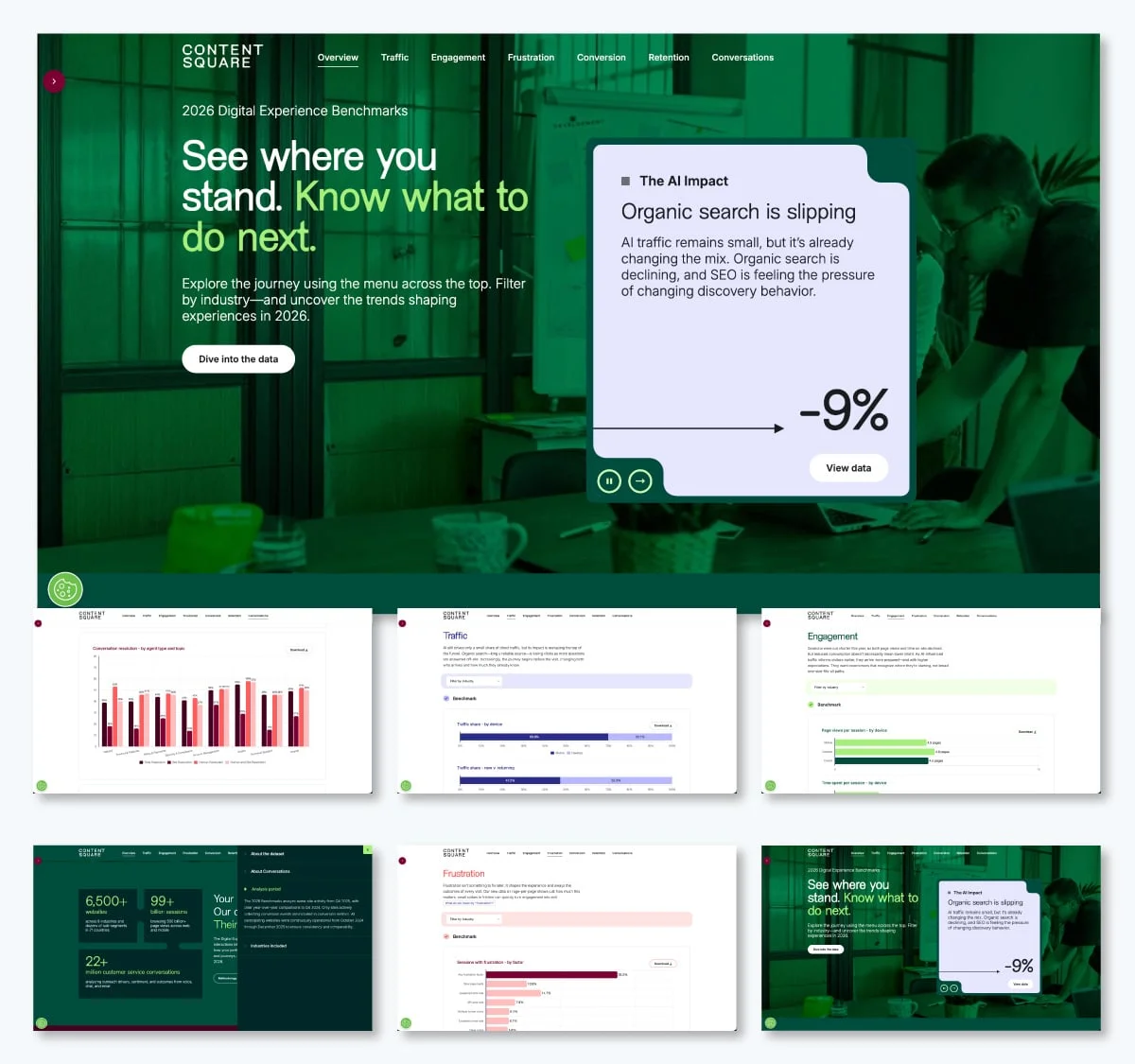
Contentsquare’s 2026 Digital Experience Benchmark analyzes 99 billion sessions across more than 6,500 websites in nine industries, comparing Q4 2024 with Q4 2025. It addresses marketing, product, customer experience and analytics teams. The findings include visits falling 3.8%, conversion rates falling 5.1% and average order value rising 6%.
The ungated web guide divides its six chapters along the customer journey, from Traffic to Retention. Each chapter closes with a “What this means” summary so readers don’t have to turn a metric into an implication by themselves. An interactive dataset lets users filter more than 50 metrics by industry.
Design takeaway: When several teams share a report, give each area a clear entry point and a short interpretation. A web format can make chapters and filters easier to navigate.
4. WordStream’s Facebook Ads Benchmarks
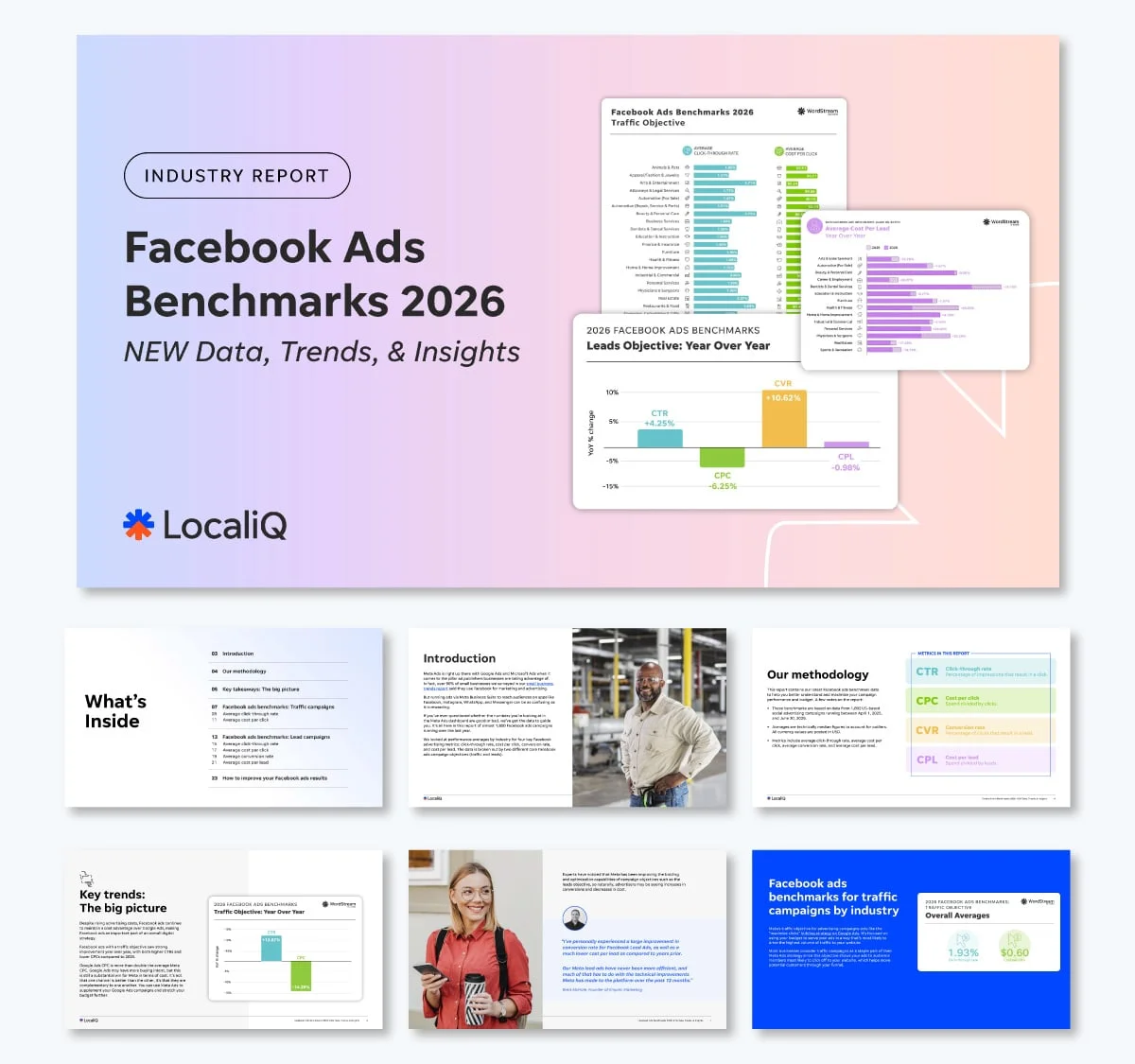
WordStream’s 2026 Facebook ads benchmarks analyze 1,892 US campaigns running from April 1, 2025, through June 30, 2026, across more than 20 industries. The report is aimed at small businesses and marketers assessing Meta ad results. It presents improved results and lower costs than Google Ads as its main message, and places free assessment boxes beside charts to collect leads.
Each metric keeps a distinct color throughout the report: teal for click-through rate, green for cost per click, yellow for conversion rate and purple for cost per lead. Metric pages also lead with the answer in bold color before showing the chart; one example states an average click-through rate of 1.93%.
Design takeaway: Assign a consistent color to each metric and put the key figure before its visualization. This creates a repeated visual cue and gives skimming readers an immediate answer.
5. Validity’s Email Deliverability Benchmark
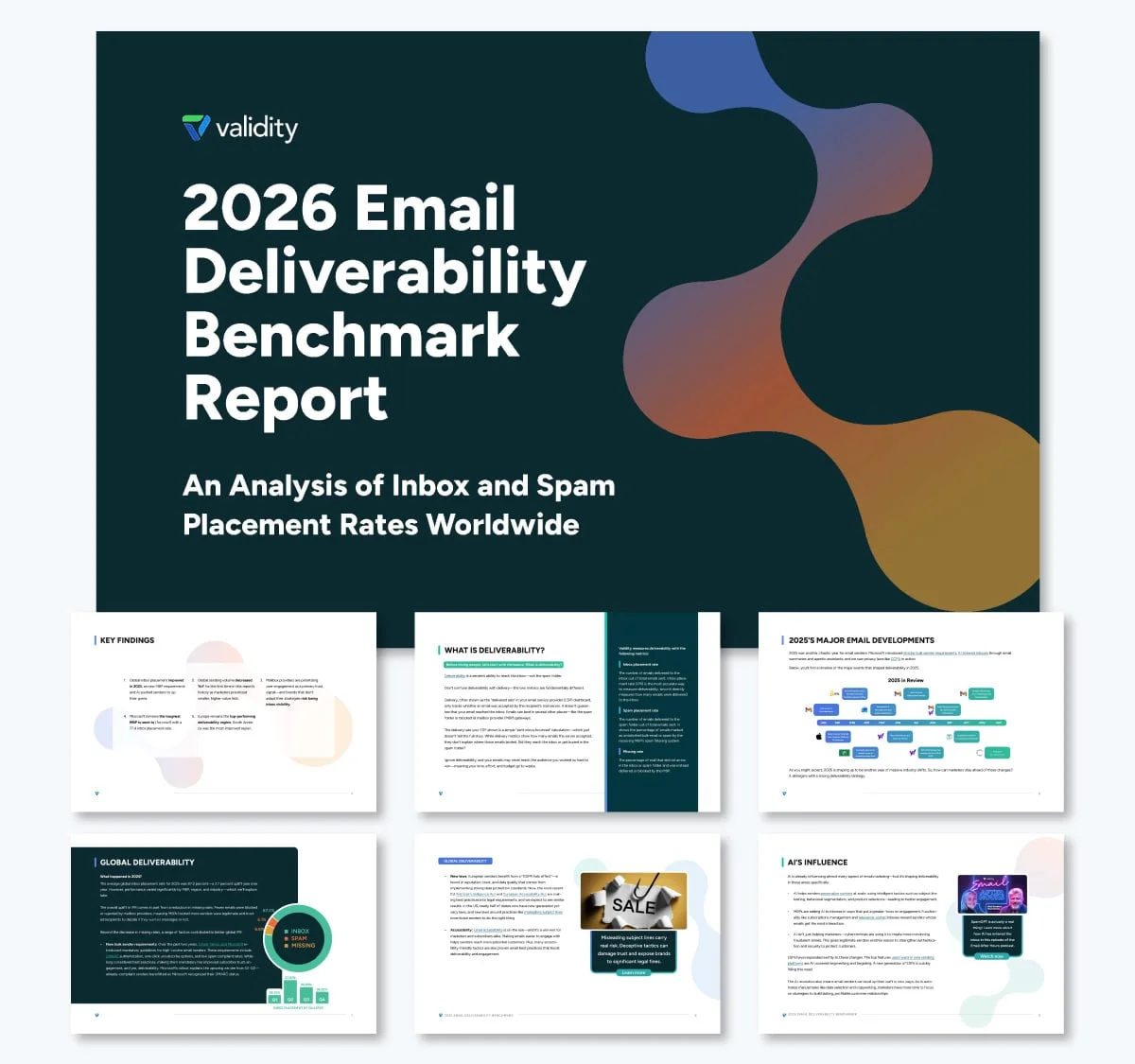
Validity’s 2026 Email Deliverability Benchmark analyzes 2025 inbox placement data from seed tests across hundreds of mailbox providers and spam filters. The report says overall inbox placement reached 87.2%, with substantial variation by provider and region. Microsoft was the hardest major provider to reach, at 77.4%.
Readers often arrive looking for a specific industry or regional result. The report uses the same scorecard columns—Inbox, Spam and Missing—for each breakdown, making it easier to find a relevant row. A month-by-month timeline describes email changes during 2025, and 12 tips for 2026 close the report.
Design takeaway: Repeat the same table structure across breakdowns, keep column order stable and use a timeline when events across a period help explain changes in the data.
From research question to report
1. Define the goal, audience and reference
Write down the question the report needs to answer and who will use it. Leadership may need a concise summary; prospective customers may need findings they can apply to their own work. Orbit Media Studios co-founder and CMO Andy Crestodina suggests starting with the sales conversation: “Ask yourself, what statistic or what data point would strengthen my sales pitch? Then go find that data.”
Kaur recommends asking what the research should achieve before designing a survey. The answer might be awareness, leads or evidence to support a point of view. It will shape the questions. Decide whether the report is internal or external, then choose a reference point: a previous period, named competitor or industry standard.
2. Collect the right data
Use internal systems, run a survey or combine available public data. Operational and weekly reporting may already provide a baseline for internal comparisons. For survey work, place the most important questions early, since some respondents may stop before completing the form. Keep questions specific and answer choices consistent.
Benchmark sample size affects how confidently a report can describe its findings. Benchmarkit founder and CEO Ray Rike gives a rough caution in his review of SaaS benchmark reports: when the population is below 200–250, the resulting benchmarks may have higher margins of error and lower statistical significance. Treat findings from smaller samples as directional, and explain the limitation.
Before relying on existing data, check that you can access every source needed. Test an export and compare it with earlier reports to confirm you have the right report or sub-report. Set a consistent time frame for each pull. Weekly and monthly schedules are common; biweekly reporting is also used in corporate settings. Recurring reports benefit from a fixed export process that produces clean CSV or JSON files on the same schedule.
3. Clean and analyze the data
Remove incomplete or duplicate responses, standardize definitions and identify gaps. Segment by company size, role or region only when the sample supports that level of detail. A practical review can follow this sequence:
- Bring the data together. For a one-time report, gather relevant historical data in a shared folder or sheet. For recurring work, connect sources to a consistent process. Review the source data first: automated tools can repeat inconsistencies as readily as clean figures.
- Build a rough view. Put the data into charts or tables to spot early patterns. If information is available only in screenshots, a tool may help turn it into a table, but verify the conversion.
- Use AI for bounded summaries. Tell the tool which questions to answer and what to leave out. A broad request can produce lengthy summaries without useful prioritization.
- Check each number. Compare figures with their source and previous periods. A dramatic fall, such as monthly visits dropping from 10,000 to 150, may indicate a data problem that needs investigation.
- Run a blind check. Visme’s marketing and product researcher Anna Gliwinska suggests checking two or three randomly selected rows against their sources. If the report contains 200 or more rows, this spot check can catch errors before presentation.
- Ask for a second review. Arrange for one or two colleagues to review the report before it reaches leadership.
4. Shape the findings into a story
For each finding, provide a headline number, its comparison and a takeaway. A consistent structure helps readers move through dense material. Kaur warns that reports often falter when writers put statistics into charts and leave readers to connect them. Her advice is to involve someone who can identify useful cross-references, spot patterns and build a narrative that serves the report’s purpose.
AI tools such as Claude or ChatGPT can help organize analysis when a specialist isn’t available, but the prompt should set clear boundaries. Ask for a small ranked set of findings, the comparison and size of each gap, differences across relevant segments, relationships between metrics, possible explanations labeled as evidence or assumption, suitable chart types and gaps in the data.
Tell the tool to use only the supplied figures and to flag segments below a stated response threshold rather than drawing conclusions. Review every output against the dataset. AI can assist with the first pass; it can’t validate a research design or take responsibility for the claims in the finished report.
Design the report for scanning and verification
Visme describes two starting points for designing a benchmark report: generate a first draft with AI Creation Studio or adapt a report template. In either case, content accuracy and hierarchy need a human review.
AI Creation Studio workflow
- Choose a document or presentation. Write a prompt that names the format, such as “benchmark report,” and paste in the findings.
- Set the brief. Choose length, audience, tone and brand. The source describes a maximum of 10 pages.
- Review the outline. Add, remove or reorder sections in the AI chat until the structure follows the evidence.
- Generate and edit. Open the draft in the editor, verify every number against the dataset, then add charts and brand elements.
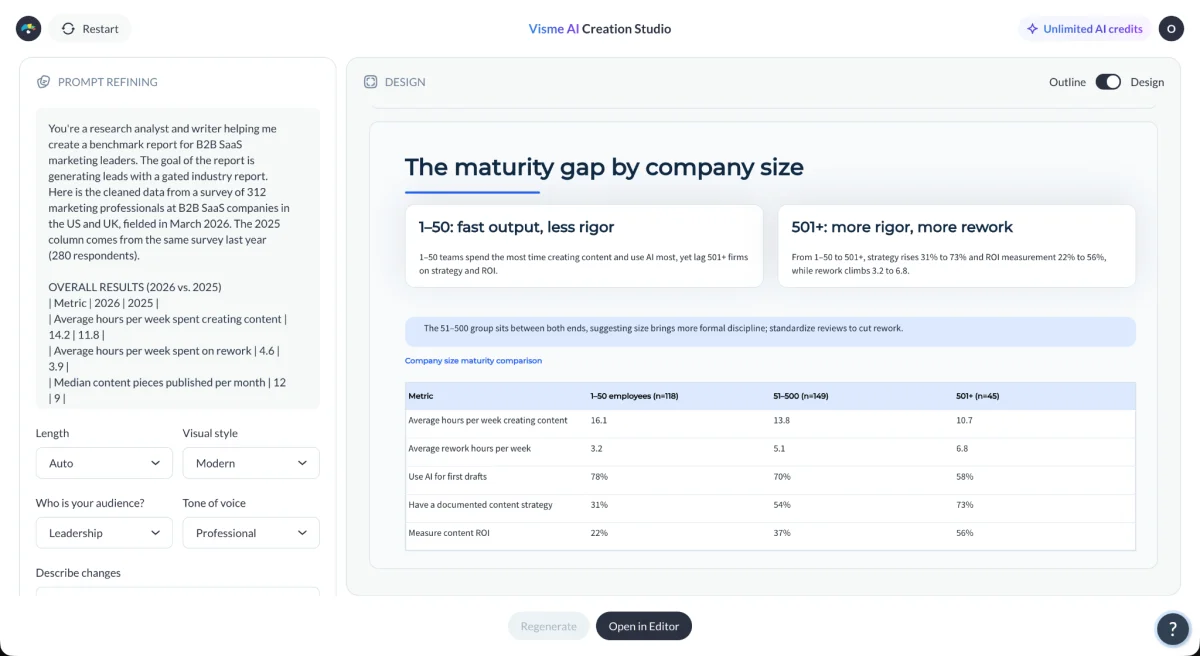
The source notes that AI Creation Studio changes regularly, so the interface may differ over time.
Template workflow
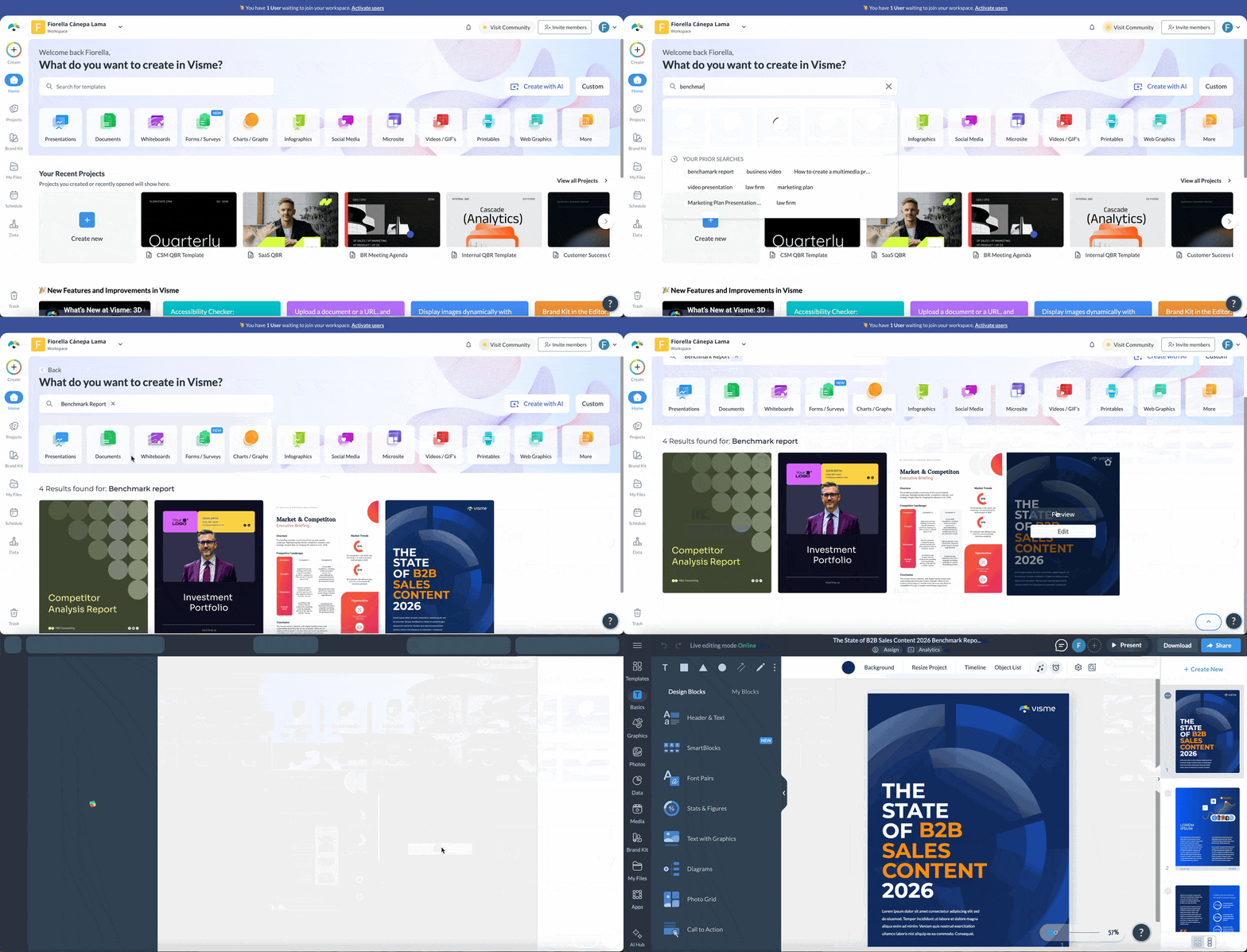
Teams can start with the Visme benchmark report template used for its State of B2B Sales Content report, or browse business report templates. For additional layout references, see these annual report design examples.
- Search the template library for “benchmark report” and open a design in the editor.
- Replace placeholder text and figures with verified findings.
- Keep one main finding on each page and remove pages the report doesn’t need.
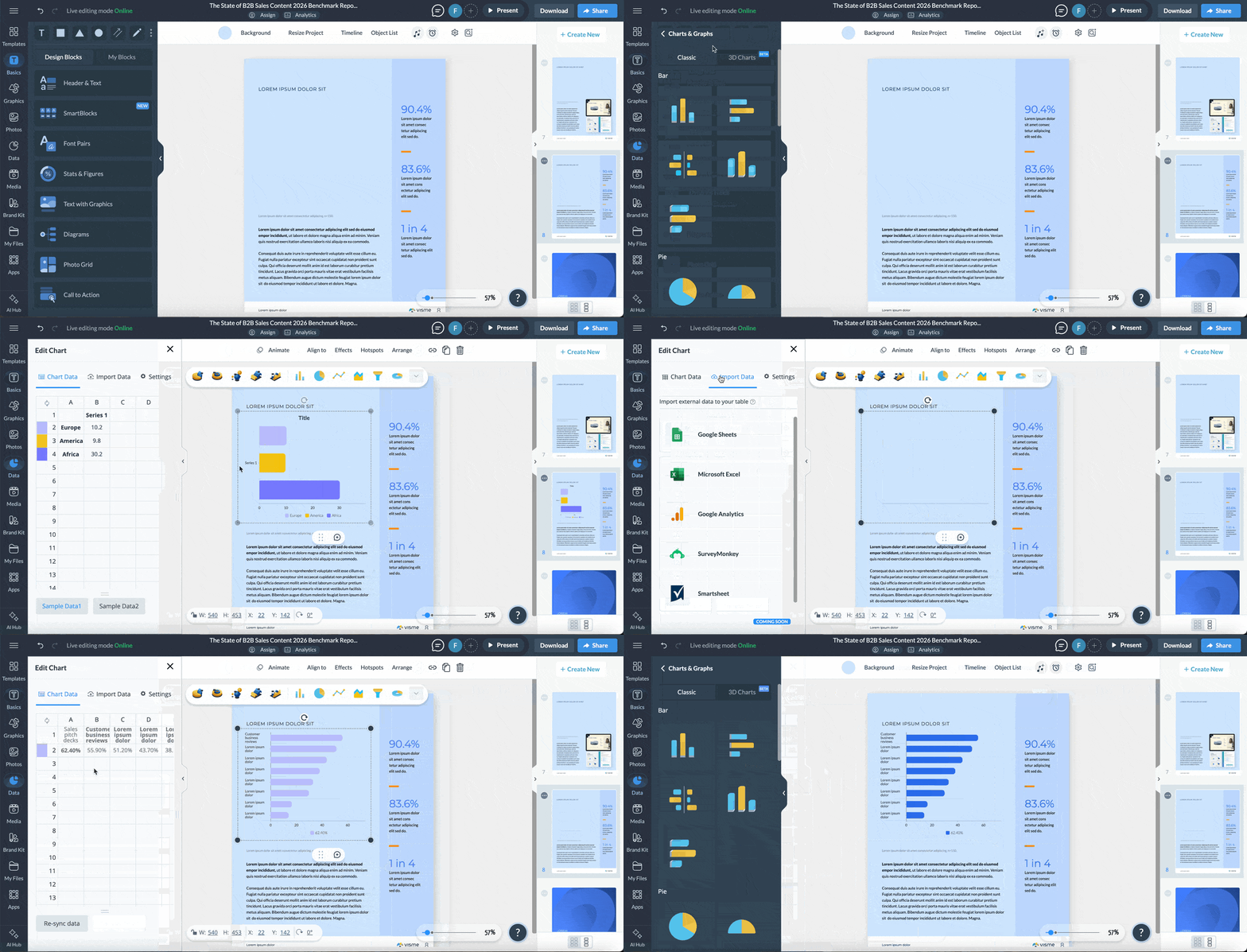
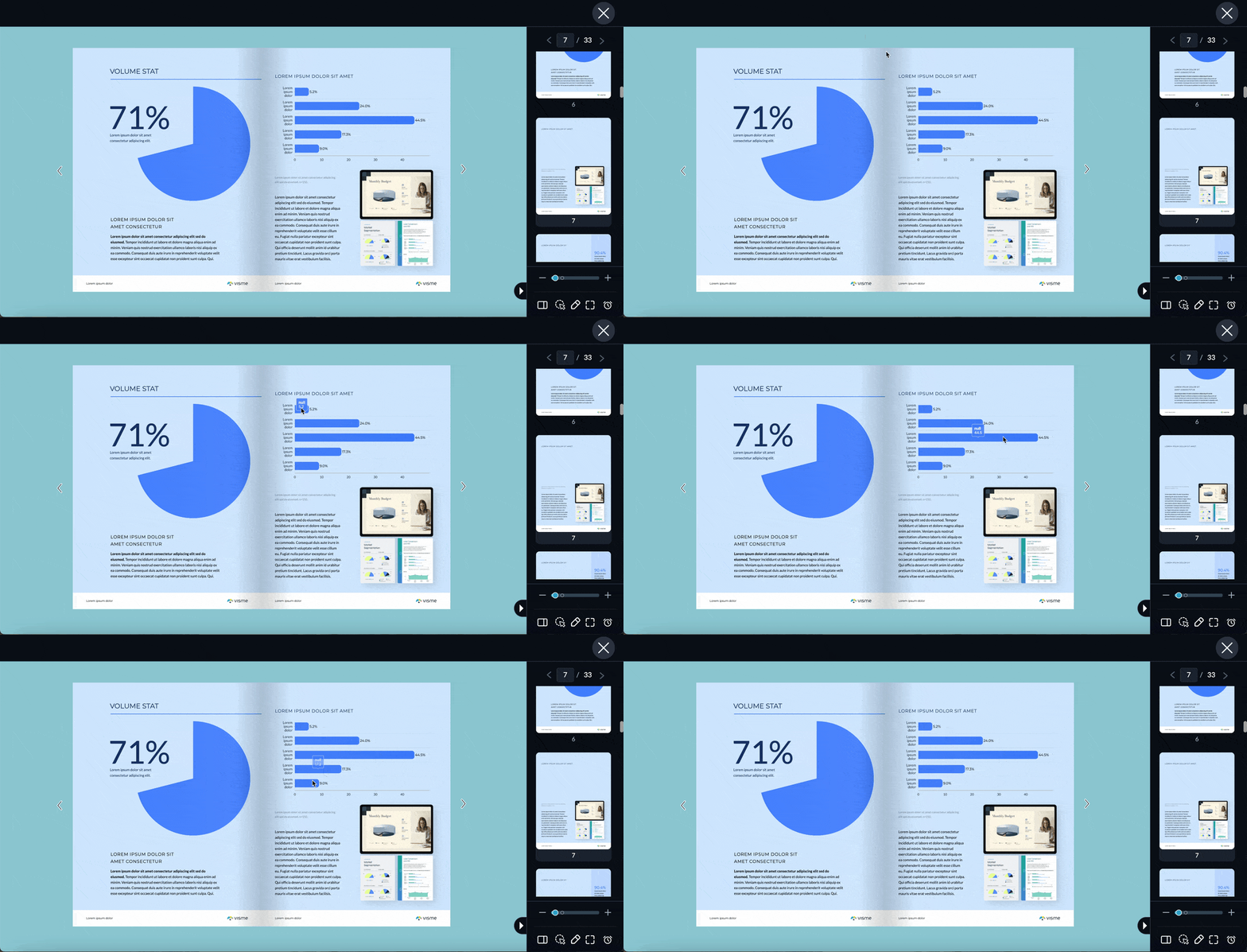
Import a spreadsheet into the data visualization tools and select a chart for each finding. Use interactive features such as hover effects, pop-ups and clickable sections when they help readers inspect the information; the interactive annual report guide shows examples. A short self-assessment built with Visme Forms can let readers answer the same questions as the research and compare their own process with the results.
Coordinate production across a team
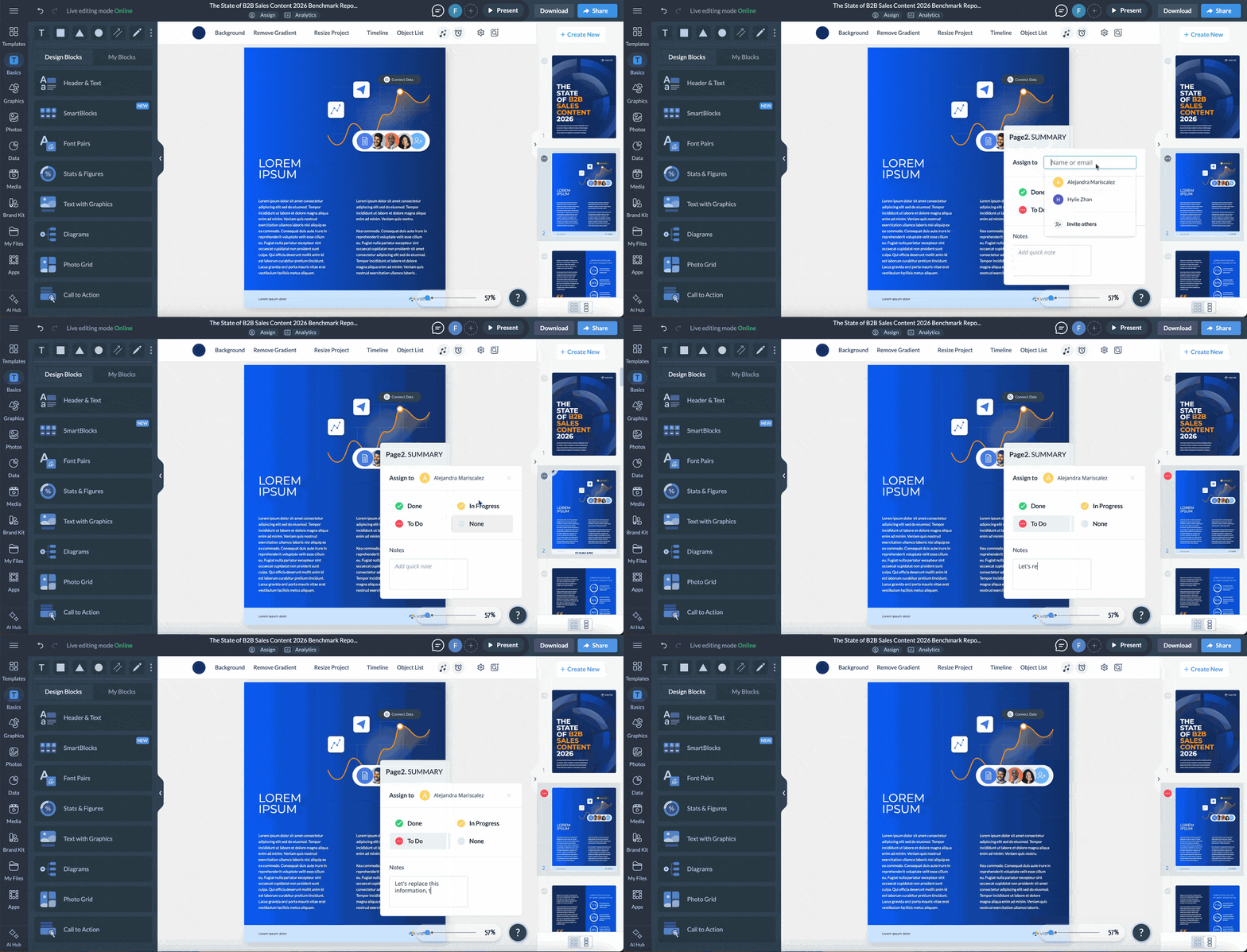
Collaboration tools let teammates comment and edit in one place. Visme Workflows can assign pages or slides to colleagues and are available on Pro and Enterprise plans. Enterprise plans also include approval steps before a report can be published, shared or downloaded.
Dynamic Fields store details such as company names, figures or dates so one edit can update each project using that field. A saved design in the Brand Library can give colleagues a reusable template while restricting edits to the layout.
Publish in the format readers need
Promotion works best when the research can travel in useful pieces. Visme’s Victoria Taylor describes how one research asset can support several teams: “Every other team gets something to distribute. Performance marketing, lifecycle and email, sales, social and content all run off the same research. One asset, five channels.”
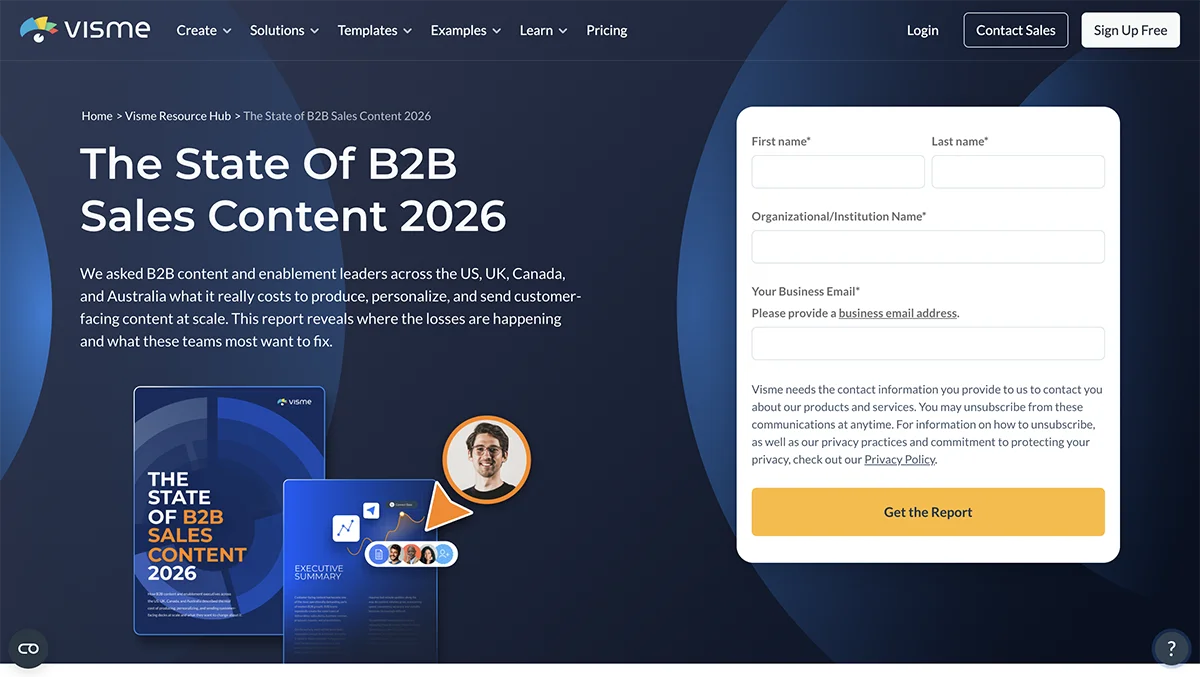
Start with a dedicated page containing a short description, two or three headline figures and, when appropriate, a form for the download. Send social posts, email and media outreach to the same URL so visits can be measured together.
- Email the findings. Lead with one surprising figure, then follow up with messages focused on different results. Segment the list when particular findings fit particular readers.
- Make social assets. Turn individual figures, charts or report pages into posts and carousels. A single study can provide material for several weeks.
- Equip quoted contributors. Give featured experts or customers a ready-to-share graphic, quote or post. Make it easy for them to point their audiences to the report.
- Contact publishers using dated figures. Find relevant pages citing older research and offer newer, verifiable findings. A citation can also create a backlink.
- Record a video version. Walk through the central findings and publish a transcript with the video.
- Join relevant discussions. Share useful figures in communities where the audience already asks related questions, and take part in the conversation.
Match the publication format to the use. A gated PDF can support lead collection; a web page can make chapters easier to find; a slide deck can serve a client presentation. Visme supports sharing as a live link, embedding or downloading a PDF through its publishing options. A microsite can provide a navigable web version.
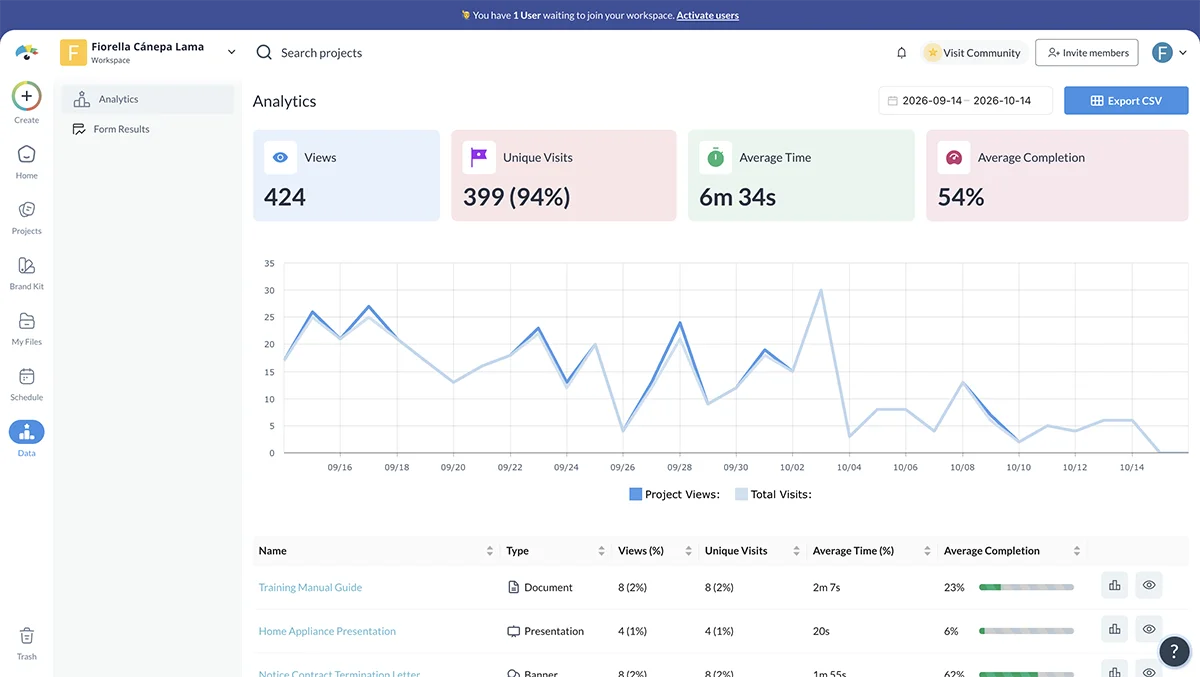
Track views, unique visitors, time spent and report completion with Visme Analytics. Compare these measures with landing-page conversions, backlinks and lead data to see how the report is performing against its goal. For AI answer visibility, identify the questions the research should answer and monitor whether tools mention or cite it for those questions. Track mentions and citations as well as visits, since an answer may provide fewer clicks than a search result.
Reporting mistakes that weaken a benchmark
Leaving out the methodology
A figure without context is hard to judge. Put a short description near the beginning, such as the survey population, sample size and field dates, then provide the full method: participant selection, questions, collection process and limitations. Don’t imply that a small or narrow sample represents a whole industry.
Comparing metrics with different definitions
Organizations may define the same measure differently. One company might count a delivery as on time when it leaves a factory; another might count it when it reaches the customer. Put the formula and period beside each metric. Check an external source’s definition before comparing its figure with yours. If the definitions differ, explain the mismatch or omit the comparison.
Compare groups and periods with similar conditions. A small startup and a multinational company may not be useful peers, and seasonal results may differ from those in an ordinary quarter.
Using figures that can’t be checked
A statistic repeated across many pages isn’t automatically reliable. Bernard Marr warns that data from aggregator sites can have questionable reliability. Trace figures to their original source, check when they were collected and omit them if the source or definition can’t be confirmed.
Unenabasi Ekeruke, Senior Content Editor and Storytelling Specialist at Visme, describes his editorial check this way: “A compelling finding means very little if the data behind it doesn't hold up. When I edit a benchmark report, I question the sample, check how the metrics are defined and make sure the conclusions don't go further than the evidence allows. You can tell a strong story with data without exaggerating what it proves. In fact, that's what makes the story credible.”
Showing only one average
An overall average can conceal differences between company sizes, industries, regions or customer groups. Ray Rike says reports are less useful without profile-specific filters such as company size, ACV and customer segments. Break out results only where the sample supports it. Consider showing the median alongside the mean, or a range such as the top and bottom quartiles. Klaviyo’s report offers one example of presenting typical results alongside top-performing results.
Stopping at the numbers
A statistic rarely explains itself. Look for relationships between measures, differences between segments and results that challenge an expectation. For each major finding, say what the data shows, why it matters and what a reader could reasonably do with it. If the data raises a question without answering it, identify that as a question for further research instead of forcing a conclusion.
Collecting data that doesn’t answer the question
Begin with the decision or question the report serves, then choose measures that can inform it. Counting presentations created, for instance, may not tell a team whether sales enablement content helps. Usage, deal progression, win rates and sales feedback may also matter. Survey questions should contribute to the research goal or help explain an expected finding.
Overloading the page
Give each major finding room. One key figure and one chart per page or section can make a dense report easier to scan; detailed tables can move to the appendix. Visme Design Manager Alejandra Mariscalez says that without whitespace, clear sections and visuals, data-heavy pages can overwhelm readers. A clear layout helps the information feel more understandable and credible.
Frequently asked questions
How often should a benchmark report be updated?
Annual updates suit many industry reports because they allow time for the data to change. Internal benchmarks can run monthly or quarterly alongside a monthly report.
What tools are needed?
You need a data source such as a survey tool, CRM or analytics platform, plus a spreadsheet or other way to analyze the results. A reporting tool can handle the final document, charts and interactive elements.
What is the purpose of a benchmark report?
It shows where results stand against a defined reference so readers can understand gaps and decide what to change. Published research can also give buyers and other publishers evidence to assess or cite.
What makes an external report useful?
Explain the methodology, lead with meaningful findings and define what good performance means in the context of the research. Add a takeaway to each finding and repeat the study on a clear schedule when tracking change over time is part of the goal.
How do you create a benchmark report?
Define the question, collect and clean the data, choose a fair comparison, then organize each finding as a headline number, context and takeaway. Check the figures and state any limits before publishing.
How much can an outsourced report cost?
Kaur’s cost breakdown estimates $17,000–$48,000 across strategy, response collection, analysis, writing and design. Survey response collection is the largest listed stage, at $5,000–$20,000. Using an owned audience and in-house analysts can reduce the total.
Make the evidence easy to use
A strong benchmark report begins with a precise question and a comparison readers can judge. Its findings should be traceable to their sources, its limits should be visible, and its design should help people find the figures that matter. The best next step is concrete: define the audience, select the reference point and test whether the available data can support the comparison.
Teams using Visme can begin with the benchmark report template or generate a first draft with AI Creation Studio, then import spreadsheet data for charts, add a self-assessment with Visme Forms and assign work through Workflows. The finished report can be shared as a PDF, live link or microsite, with views tracked through Analytics.