Tuesday, October 6, 2026 · UX & UI Design
Designing a Better 404 Page: Clear Guidance, Brand Voice and Useful Navigation
Noted by Peter Makeshoff · 448 reads
A thoughtful 404 page pairs a clear explanation with search and useful links, turning a broken path into a more considered brand experience.
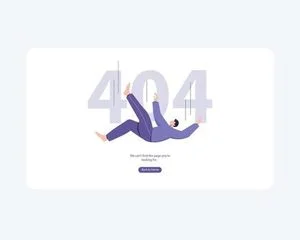
A 404 page is one of the few places where a website has to acknowledge that someone’s expected route has failed. That small interruption can reveal whether the interface has a plan for helping people recover. The strongest pages pair a plain explanation with useful next steps, while carrying the same visual and verbal character as the rest of the site.
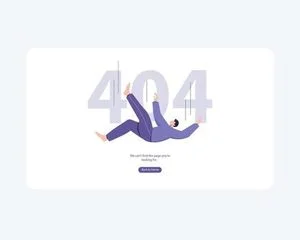
The status means the requested page couldn’t be found. Someone may have followed an outdated link, mistyped an address, or arrived through a path that no longer works. Whatever brought them there, they now need to decide whether to try again, find another route, or leave. The page can make that decision easier by explaining the problem and showing a next step. The MDN reference to the 404 status gives teams a useful technical starting point; the design challenge is making the resulting experience clear to people.
Start with orientation
A bare “404 Not Found” identifies an error but leaves the visitor to interpret it. There’s no clue about whether the address was mistyped, the page moved, or the site itself is having trouble. A short sentence in ordinary language gives more useful context: “We couldn’t find that page. The link may be out of date, or the address may have a typo.” That wording names the situation without blaming the person who arrived.
Keep the hierarchy easy to scan. A clear heading should state what happened. A brief explanation can follow, then the main recovery option. Avoid burying the next step beneath a large illustration or a long joke. On a phone, the visitor may see only the upper part of the page at first; the explanation and a useful control should be easy to find there.
It also helps to check that the page preserves the site’s usual navigation. A recognizable logo, header, or link to the home page can reassure visitors that they remain on the intended site. The aim is to make the error legible and the next move obvious, not to make the visitor learn a new interface at the moment something has gone wrong.
Make recovery the main interaction
A search field is often the most direct way to recover, especially on a site with a large collection of products, articles, or documentation. Make its purpose explicit with a label or prompt, and ensure the control works with a keyboard and assistive technology. If the site’s search isn’t suited to the content, offer a short set of links to useful destinations instead: for example, the home page, a help area, or a frequently visited section.
Choose those links with care. A long list shifts the work back to the visitor, while a handful of relevant options can turn a dead end into a manageable choice. If the missing address points to a particular kind of content, consider whether the page can suggest a related section or a search query. Keep the suggestions understandable on their own; visitors shouldn’t have to guess what a label such as “Explore” will open.
Give each option enough visual distinction to make its role clear. Search can be the primary action, with secondary links arranged beneath it. On smaller screens, a simple vertical order usually keeps the choices readable. Test the page with long link names and narrow viewports as well as the ideal desktop layout. Those conditions can expose crowded spacing or controls that are hard to reach.
Let the brand voice help, not distract
A 404 page belongs to the same brand system as the home page and product screens. Type, colour, illustration, and tone can all make that relationship visible. Mailchimp is cited in the source for its playful illustration, while Dropbox is described as using a simple, friendly message. These references point to different approaches: a visual gag may suit one brand, while another may rely on warmth and restraint.
Humor needs a light touch. The visitor may be frustrated, and a joke that treats the mistake as theirs can make a bad moment worse. A small visual flourish can add personality while the copy stays helpful. If the page uses animation, keep it from delaying access to the explanation or controls, and make sure motion doesn’t obscure the content. Brand character works best when it supports orientation instead of competing with it.
Consistency doesn’t require copying the rest of the site’s layout exactly. A page can be more open or use a distinctive illustration, provided the type, colour, and writing still feel related to the broader experience. That balance gives designers room for expression while keeping the recovery path familiar.
Measure the experience carefully
A useful 404 page can help people continue browsing, but the page design alone can’t fix broken links or guarantee better search performance. Bounce rate, for example, can describe a visit that ended quickly, but it doesn’t explain why. Pair analytics with checks for recurring missing addresses and the routes that lead to them. That can help teams spot a stale link, a mistyped address, or a page that needs a redirect or replacement.
Make sure the page still communicates the correct 404 response to browsers and crawlers. A custom design shouldn’t disguise a missing page as if it were healthy content. Clear navigation helps visitors; accurate handling helps the site keep its information organized.
Design for the moment someone needs help
The practical test is straightforward: can a visitor tell what happened, find a relevant next step, and use it without extra effort? Review the page on mobile and desktop, check its keyboard controls, and follow its links to confirm they lead somewhere useful. Make sure the writing remains calm and the main action stays visible.
A well-considered 404 page can’t prevent every broken route, but it can preserve a sense of care when one appears. For more visual references, browse this collection of creative 404 pages. The useful takeaway is simple: treat recovery as part of the interface, and give the person who arrived there a clear way to continue.
The original discussion appeared in Designer Daily’s piece on what a 404 page says about a brand, a graphic and web design blog.